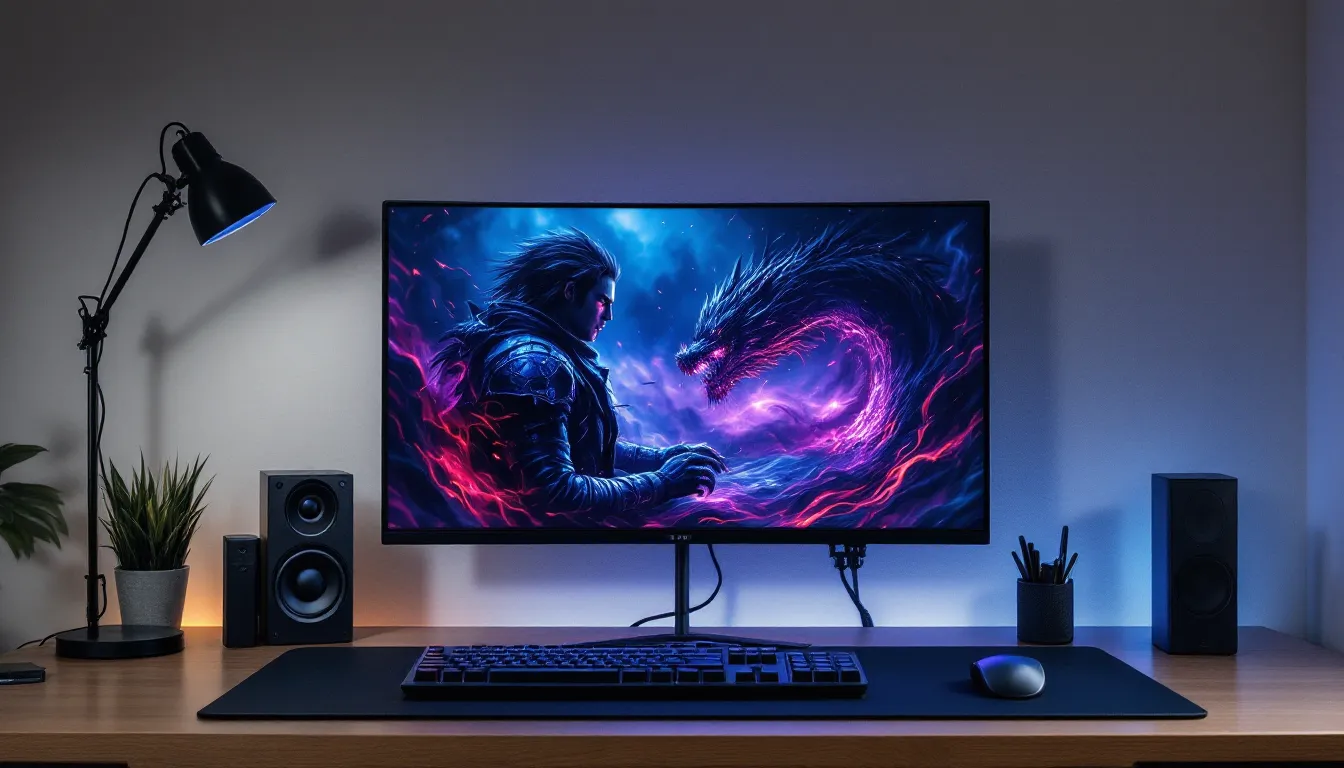
Final Fantasy 16 delivers some of the most stunning visuals in gaming, and for fans who want to extend that beauty beyond the game itself, securing high-quality Final Fantasy 16 wallpapers is a no-brainer. Whether you’re running a multi-monitor setup, customizing your phone, or just want to bathe your desktop in the dark fantasy atmosphere Clive Rosfield’s world deserves, the right wallpaper transforms your digital space into an extension of the game. But with so many sources and resolutions out there, from grainy bootleg downloads to official Square Enix releases, finding legitimate, stunning wallpapers that actually match your setup can feel like a Eikon boss fight. This guide cuts through the noise and gives you exactly where to find, download, and optimize Final Fantasy 16 wallpapers for any device or aesthetic preference.
Table of Contents
ToggleKey Takeaways
- Official sources like Square Enix’s website and PlayStation Store provide authentic, high-quality Final Fantasy 16 wallpapers in multiple resolutions without security risks.
- Match wallpaper resolution to your display (4K for ultra-high-end setups, 1440p for PC gamers, 1080p for standard monitors, and custom aspect ratios for mobile devices) to ensure crisp, sharp visuals.
- Final Fantasy 16 wallpapers come in multiple aesthetic categories—dark and moody fantasy vibes, epic action scenes, and minimalist designs—allowing you to customize your setup to match your gaming style and personal preferences.
- Avoid low-quality downloads from aggregator sites and data-harvesting platforms; download directly from official sources or verified communities like DeviantArt and Reddit to protect your system.
- Fan-created wallpapers on platforms like ArtStation, DeviantArt, and Reddit communities offer creative alternatives to official Final Fantasy 16 wallpapers and often capture artistic angles official releases miss.
Why Final Fantasy 16 Wallpapers Are Essential for Gaming Fans
A wallpaper might seem like a minor detail in the grand scheme of gaming, but it’s surprisingly meaningful. Final Fantasy 16’s art direction is deliberate, every scene carries emotional weight, from the haunting imagery of Rosaria’s fall to the breathtaking dragon-versus-human confrontations that define the game’s cinematic scope. Displaying that artistry on your monitor or phone keeps the experience alive even when you’re not actively playing.
For competitive gamers and streamers, wallpapers set the tone for your entire setup. Viewers notice the polish, the attention to detail. A thoughtfully chosen Final Fantasy 16 wallpaper signals that you care about aesthetics as much as gameplay. For casual players, it’s about immersion, that daily reminder of the world you love exploring, the story you’re invested in, the characters who’ve made an impact.
Beyond personal enjoyment, the right wallpaper serves as motivation. When you’re grinding through difficult sections or stuck on a particularly punishing boss, glancing at that wallpaper reminds you why the journey matters. It’s a small thing, but small things compound into genuine connection with the games we love.
Official Sources for Authentic Final Fantasy 16 Wallpapers
When hunting for wallpapers, official sources should be your first stop. They guarantee authenticity, quality, and safety, no sketchy downloads or compressed trash to deal with.
Square Enix’s Official Wallpaper Collections
Square Enix maintains dedicated wallpaper galleries on the official Final Fantasy 16 website. These collections feature the highest-quality artwork directly from the development team, released across multiple seasons and patches. The lineup includes character-focused artwork, dramatic battle scenes, and moody landscape shots that capture Valisthea’s essence. Most importantly, these are completely free and available in multiple resolutions. Square Enix typically updates these galleries seasonally, so revisiting the official site yields fresh options even months after launch. The art quality here is unmatched, these are the same assets used in promotional materials and official trailers.
You’ll find everything from high-resolution character portraits to full cinematic scenes. The compression is minimal, the file sizes are reasonable, and there’s zero risk of malware or data harvesting. For anyone serious about authentic Final Fantasy 16 wallpapers, this is the foundation of your collection.
PlayStation Store and Console Downloads
If you’re playing on PS5, wallpapers are baked directly into your console experience. Navigate to the Final Fantasy 16 game hub on PlayStation Store and you’ll discover dedicated wallpaper packs, some bundled with DLC, others released as free bonuses. These console-optimized versions are specifically formatted for PS5 display and automatically adjust to your TV’s resolution and color profile.
Downloading through the PlayStation Store offers several advantages. The files integrate seamlessly with your console’s theme system, you get notifications when new wallpapers drop, and everything syncs across your profile if you have multiple PS5 systems. For console gamers, this is the most friction-free approach. You’re also supporting Square Enix directly, and the company often uses Store feedback to determine which artwork receives future releases.
PC players should check Steam’s official assets section for Final Fantasy 16 promotional materials. While not always formatted as traditional wallpapers, Steam screenshots and artwork can be downloaded and used as backgrounds, many double as stunning wallpaper candidates.
Top High-Resolution Final Fantasy 16 Wallpapers by Resolution
Resolution matters more than people think. A 4K wallpaper stretched across a 1080p monitor looks soft and blurry. A 1080p wallpaper blown up to 4K looks pixelated and cheap. Matching resolution to your display ensures crisp detail and true color reproduction.
4K Ultra HD Wallpapers
For the truly committed setup enthusiasts, 4K wallpapers (3840 × 2160 pixels) deliver jaw-dropping clarity. Final Fantasy 16’s intricate character designs, detailed Eikon scales, and atmospheric lighting absolutely sing at this resolution. The problem? Finding legitimate 4K options is harder than you’d think. Square Enix’s official galleries occasionally feature 4K uploads, but consistency is spotty.
When 4K wallpapers are available, they’re usually promotional artwork or cinematic stills. Clive’s close-ups, Jill in key story moments, and Eikon battle compositions dominate the 4K lineup. The file sizes run 8–15 MB, which is substantial but manageable on modern systems. If you’re running a high-end gaming PC or a 4K gaming monitor, the investment in sourcing authentic 4K versions is worth every minute. The fidelity brings Final Fantasy 16’s art direction into focus in ways lower resolutions simply can’t match.
1440p QHD Wallpapers
For most PC gamers running high-refresh displays, 1440p (2560 × 1440 pixels) represents the sweet spot. You get excellent detail without the file-size bloat of 4K. More importantly, 1440p wallpapers are significantly easier to source. Square Enix’s official galleries frequently include this resolution, and the image quality is genuinely stunning.
1440p wallpapers strike the balance between fidelity and practicality. File sizes hover around 3–5 MB, scaling performs beautifully, and the detail level is more than sufficient for even large monitors. Most character-specific wallpapers, battle scenes, and landscape shots are available in 1440p. This is also the resolution you’ll want if you’re planning a multi-monitor setup, as scaling remains consistent and crisp across the board.
1080p Full HD Wallpapers
The workhorse resolution, 1080p (1920 × 1080 pixels) remains the most abundant and accessible Final Fantasy 16 wallpaper category. Whether you’re gaming on an older monitor, a laptop, or just prefer the smaller file sizes, 1080p versions are everywhere, official sources, community galleries, fan sites, all offering robust selections.
File sizes are tiny (usually under 2 MB), which means faster downloads and no storage concerns even on aging hardware. For competitive gaming where every system resource matters, 1080p wallpapers allow you to display stunning visuals without any performance tax. The image quality remains sharp on standard 1080p displays. If you’re not specifically running higher resolutions, dismissing 1080p as “lower quality” is a mistake, it’s perfectly suited for its target use case.
Mobile and Tablet Wallpapers
Mobile wallpapers operate by completely different rules. Aspect ratios vary wildly across phones, most modern smartphones run 18:9 or 19:5, while tablets span 4:3 to 16:10. A 1080p wallpaper designed for a desktop monitor looks terrible when forced onto a phone screen (heavy letterboxing or awkward cropping).
Official mobile wallpaper collections account for these variations. Square Enix frequently releases phone-optimized versions at resolutions like 1080 × 2220 (standard Android) or 1125 × 2436 (iPhone). These are specifically framed to look great on smaller screens, with critical artwork elements positioned to avoid obstruction by status bars and home screen icons. Many include variation versions for light and dark mode displays, which is a nice touch. The file sizes are even tinier than 1080p desktop versions, usually under 1 MB, making them instant downloads even on slower connections.
Best Character-Specific Final Fantasy 16 Wallpapers
Character wallpapers are the bread and butter of gaming aesthetics. Final Fantasy 16’s cast is rich enough that individual character galleries could fill an article by themselves. Here’s where the best ones live.
Clive Rosfield Wallpapers
Clive is the centerpiece of Final Fantasy 16, and wallpaper libraries reflect that. The best Clive wallpapers capture him at pivotal character moments, standing over the ruins of Rosaria with Eikon-scarred eyes, wielding Phoenix’s flame in full transformation, or in quieter moments showing the weight of his journey.
Official galleries emphasize three Clive archetypes: young, determined protector: battle-hardened veteran engulfed in combat: and the contemplative, scarred survivor reflecting on consequences. Each resonates differently depending on where you are in the game. Early-game players might connect with hopeful Clive imagery, while post-endgame viewers gravitate toward the war-weary versions. The best Clive wallpapers have cinematic framing and dramatic lighting, think framebuffer-accurate renders pulled directly from key story sequences. Resolution options typically range from 1080p through 4K for official releases, though 1440p represents the most consistent availability.
Jill Warrick and Companion Wallpapers
Jill’s character arc is one of Final Fantasy 16’s emotional anchors, and her wallpapers reflect that depth. You’ll find her featured in intimate story moments, powerful combat sequences, and sweeping landscape shots where she’s integrated into Valisthea’s geography rather than centered as a portrait.
The companion wallpapers extend beyond Jill to include Torgal, Cidolfus, and other recurring cast members. These work well if you want something less overtly “protagonist” and more reflective of the broader party dynamic. Jill-focused artwork often emphasizes her transformation throughout the narrative, early versions show her sheltered and uncertain, later ones project quiet strength and resolve. The color grading tends toward cooler tones (silvers, blues, purples) rather than the warmer oranges dominating Clive’s aesthetic, creating nice visual variety if you rotate wallpapers.
Eikon and Boss Character Wallpapers
For players drawn to Final Fantasy 16’s combat and mythology, Eikon wallpapers are essential. These feature Ifrit, Phoenix, Odin, and the full roster of summons in full glory, scaled up to impossible sizes, engulfed in elemental effects, absolutely dominating the frame. Phoenix’s flames, Ramuh’s lightning storms, and Bahamut’s cosmic horror are jaw-dropping at 1440p and above.
Boss character wallpapers walk the line between ally and adversary. Ultros, various antagonist encounters, and climactic battle scenarios get featured artwork that emphasizes their menace and visual complexity. These wallpapers tend to be the most dramatically lit and dynamically composed, they’re built to grab attention and hold it. If you want something that screams “serious gamer setup,” Eikon and boss wallpapers deliver. The color schemes are typically bold (deep purples, angry reds, cosmic blues), making them stand out on your desktop compared to more subdued character work.
Aesthetic Categories and Themes
Wallpaper selection isn’t just about favorites, it’s about the mood and aesthetic you want your setup to project. Final Fantasy 16 wallpapers span multiple distinct visual languages.
Dark and Moody Fantasy Vibes
Final Fantasy 16 leans heavy into gothic fantasy atmosphere, and the darkest wallpapers amplify that to maximum effect. These feature deep blacks, heavy shadows, silhouetted figures against burning skies, and pervasive gloom. Think Clive staring into darkness, nighttime scenes of burning cities, and the corrupt Eikon transformations that define the game’s visual conflict.
Dark wallpapers pair exceptionally well with dark-themed operating systems and interfaces. Windows 11’s dark mode, macOS dark appearance, and dark desktop themes all complement moody wallpapers perfectly, there’s no jarring contrast. Many gaming enthusiasts prefer this aesthetic because it reduces eye strain during extended play sessions and focuses visual attention on critical UI elements rather than distracting background imagery. The color palette typically includes blacks, dark grays, deep blues, and burgundy, colors that feel intentional rather than merely depressing.
Epic Battle and Action Scenes
If dark and moody feels too introspective, explosive battle wallpapers deliver pure kinetic energy. These capture mid-fight moments, Clive mid-transformation, Eikons clashing, spell effects erupting across the frame, environmental destruction mid-collapse. The composition is dynamic, the framing suggests motion and impact, and the lighting is bright and vibrant even though the game’s overall darker tone.
Action wallpapers work brilliantly for streamers and competitive players. They communicate energy, excitement, and intensity before viewers even click into a stream or load a game. The color grading emphasizes reds, yellows, and oranges from fire and combat effects, breaking from the cooler tones of moody wallpapers. If your setup aesthetic leans toward “high-energy gaming machine” rather than “contemplative storytelling,” action wallpapers are your lane.
Minimalist and Artistic Designs
Not every great wallpaper is photorealistic. Minimalist options use simplified character silhouettes, abstract representations of Final Fantasy 16’s core imagery, or artistic reinterpretations that strip away cinematic complexity. These might feature a single Eikon rendered in stark lines, Clive reduced to essential shapes against negative space, or symbolic imagery representing the game’s themes without literal representation.
Minimalist wallpapers age exceptionally well. While photorealistic artwork can start looking dated as our standards for visual fidelity shift, minimalist designs remain timeless. They’re also incredibly versatile, they don’t clash with any desktop setup, they work across resolutions without degradation, and they complement both light and dark themes. If you change wallpapers frequently or like subtle backgrounds that don’t dominate your visual attention, minimalist options deserve consideration. Many fan artists and design communities (more on this later) specialize in minimalist Final Fantasy 16 interpretations that rival official artwork in quality.
How to Find and Download Final Fantasy 16 Wallpapers Safely
With authenticity secured through official sources, the practical question becomes: how do you actually find and snag these wallpapers without wasting hours digging through dead links and sketchy sites?
Trusted Wallpaper Websites and Communities
Beyond Square Enix’s official channels, several legitimate communities curate and host high-quality wallpapers. The best ones screen submissions, verify authenticity, and maintain strict quality standards. [Final Fantasy 7 Remake] shares similar aesthetic ground with FF16 and often showcases crossover art and comparative designs. Communities on Reddit dedicated to Final Fantasy and gaming wallpapers serve as aggregators for both official releases and high-quality fan content.
GameSpot and similar gaming news outlets occasionally feature wallpaper roundups and direct links to official sources when Square Enix releases new content. Following these outlets keeps you updated on releases without constantly checking official sites. Many maintain dedicated art and screenshot galleries sorted by game and resolution.
DeviantArt and ArtStation (covered in detail later) host professional-grade artwork, much of which is freely downloadable and properly attributed. The difference between these platforms and random image boards is accountability, artists stake their reputation on their work, and the communities actively patrol for low-quality submissions.
Avoiding Low-Quality and Malicious Downloads
Here’s where caution matters. Generic wallpaper aggregator sites are tempting because they promise “all Final Fantasy 16 wallpapers in one place,” but most are data-harvesting operations wrapped in ads. The “download” button leads to a redirect cascade. Your email gets added to spam lists. Your system gets exposed to aggressive ad-injection malware.
Red flags to watch: popups demanding you disable ad-blockers, immediate download prompts before you can even see the image, watermarked preview images that look compressed or low-res, and sites offering “exclusive” wallpapers (exclusive to where, exactly?). If a site isn’t transparent about where its content comes from, move on.
Secure your downloads by using ad-blockers and script blockers before visiting community sites. Download directly from official sources when possible, Square Enix’s servers are secure, PlayStation Store downloads are encrypted, and Steam assets are verified. If downloading from community sites, right-click the image itself rather than clicking “download” buttons that may trigger redirects.
File format matters too. Legitimate wallpapers come as JPG (compressed but manageable) or PNG (larger but lossless). Executable files, .exe masquerading as images, or RAR archives containing “wallpaper packages” should trigger instant skepticism. The safest approach: stick to official sources for the bulk of your collection, supplement with carefully vetted community content from established platforms like DeviantArt and Reddit.
Customizing and Optimizing Wallpapers for Your Setup
Not every wallpaper is perfectly optimized for your specific monitor or device. Knowing how to scale, crop, and adjust ensures maximum visual impact.
Scaling Wallpapers to Fit Your Monitor
Scaling determines how wallpaper images fit your display resolution. Most operating systems offer three scaling options: fill (stretches to cover entire screen, may distort), fit (scales to largest size without distortion, adds letterboxing), and tile (repeats pattern, usually looks terrible for photographs).
For final Fantasy 16 wallpapers, “fill” works best on modern widescreen displays. Since most official wallpapers are released in standard 16:9 aspect ratio, they align perfectly with modern monitors without distortion. If you’re using an ultrawide (21:9 or wider), you’ll want to specifically seek ultrawide-formatted wallpapers, or expect side letterboxing even on fill setting.
On Windows, right-click your desktop, select “Personalize” > “Background,” choose your image, and experiment with the “Choose a fit” dropdown. Macintosh systems offer similar options through System Preferences > Wallpaper. Most image viewers and wallpaper managers (Wallpaper Engine on Steam, live wallpaper software) include cropping tools that let you manually adjust the visible area before setting as desktop background.
High-resolution wallpapers sometimes require manual scaling if your monitor is lower resolution than the wallpaper file. You’re not degrading quality by downscaling a 4K wallpaper to 1440p, the image remains sharp, just at your display’s native resolution. Downsample via image editing software (free tools like Paint.NET or GIMP work fine) rather than letting your OS handle scaling, which sometimes produces artifacts.
Creating Dual Monitor and Multi-Screen Setups
Multi-monitor setups demand special consideration. You have three viable approaches: identical wallpapers on both monitors (simplest but sometimes boring), complementary related images (different artwork that visually “flows” together), or a single panoramic wallpaper spanning both screens.
If you want a single panoramic image across both monitors, you’ll need to find or create an ultrawide wallpaper that matches your total resolution. A dual 1440p setup side-by-side totals 5120 × 1440 pixels, not a standard resolution, so official wallpapers rarely exist at this spec. Custom cropping or panorama stitching becomes necessary. Take two complementary Final Fantasy 16 wallpapers, open them in an image editor, and create a canvas matching your combined dimensions. Position the images so they align aesthetically and don’t create jarring discontinuities at the middle split.
Alternatively, use dedicated multi-monitor wallpaper managers. Wallpaper Engine (Steam, ~$4 USD) supports distributing separate images across multiple monitors while maintaining independent scaling. DisplayFusion (free and premium versions) offers similar functionality with additional organization features. These tools make wallpaper management significantly less painful if you frequently swap images.
For color consistency across monitors, test the same wallpaper on both screens and watch for color reproduction differences. Older monitors sometimes display slightly different hues, which can become visible when the same image spans both. If this bothers you, use wallpapers with simple color fields or geometric patterns rather than nuanced gradient transitions.
Animated and Live Wallpaper Options
Static wallpapers are fine, but animated alternatives add another dimension to your setup.
Windows and macOS Animated Wallpapers
Animated wallpapers bring movement to your desktop. On Windows, Wallpaper Engine (the most popular animated wallpaper tool) supports thousands of Final Fantasy 16 animated wallpapers created by the community. These range from subtle particle effects overlaid on static artwork to fully animated scenes, characters breathing, fire flickering, sky clouds drifting, water flowing. The performance impact is minimal (Wallpaper Engine uses GPU acceleration and disables animation when gaming or on battery power).
To use Wallpaper Engine with Final Fantasy 16 content: purchase the software (~$4 USD), subscribe to community-created wallpapers through the Steam Workshop, or upload your own animated creations. The learning curve is gentle, even non-technical users can customize existing wallpapers by adjusting color, speed, and effects.
On macOS, options are more limited but improving. macOS Big Sur and later support animated HEIC wallpapers, and third-party tools like Pricetag offer animated desktop backgrounds. Most Final Fantasy 16 animated wallpapers available for macOS come from the community rather than official sources. The same performance considerations apply, animation is GPU-accelerated and disabled during intensive tasks.
Console and Mobile Dynamic Backgrounds
PS5 offers dynamic themes that include subtle animations, usually particle effects, light shifts, or gentle motion. Final Fantasy 16’s official PS5 theme includes a dynamic wallpaper option that’s genuinely gorgeous. It’s worth hunting down, as console versions are typically higher quality than desktop equivalents due to hardware optimization.
For mobile devices, animated wallpaper apps (Android: Muzei, Zoeywallpapers, iOS: Live Wallpaper apps) allow dynamic Final Fantasy 16 backgrounds. Battery drain is the primary concern, animated wallpapers run constantly unless disabled, which noticeably impacts battery life on phones. The trade-off between aesthetics and battery longevity is worth considering on mobile devices, unlike desktop systems where power consumption is negligible.
Some official Final Fantasy 16 mobile wallpaper releases support live tile animations on Windows Phone (if you’re still rocking Windows Mobile for some reason) and adaptive icon animations on Android 12+. These tiny details, icons that shift color based on wallpaper, subtle animations that trigger with interaction, are worth seeking if they align with your device’s capabilities.
Community Creations and Fan Art Wallpapers
Official artwork is excellent, but fan creators often push aesthetic boundaries in genuinely brilliant ways.
DeviantArt and ArtStation Collections
[Final Fantasy 14 Characters] and surrounding Final Fantasy universe art provides context for understanding fan communities. DeviantArt hosts thousands of Final Fantasy 16 fan wallpapers, ranging from faithful reproductions of key scenes to wildly creative reinterpretations. Quality varies, but the platform’s rating system highlights exceptional work. You’ll find everything from hyper-realistic digital paintings to stylized anime-influenced artwork that reimagines FF16 characters in different visual languages.
ArtStation is the professional hub. Many working game artists, concept artists, and digital painters post portfolio work on ArtStation. Final Fantasy 16 fan art here tends to skew toward high-fidelity professional work, pieces that rival official artwork in technical execution. Artists often include licensing information and encourage wallpaper use, making it safe to download and use.
When downloading fan art, always check the artist’s stated usage policy. Most fan artists permit personal use but request credit and ask that you don’t redistribute commercially. Respecting these boundaries keeps fan communities healthy and encourages continued creation.
Reddit Communities and Fan Favorites
r/FinalFantasy, r/FinalFantasy16, and r/wallpaper frequently feature community-created wallpapers that receive enthusiastic engagement. Reddit’s upvoting system naturally surfaces high-quality submissions, so sorted-by-top searches yield consistently strong results. The advantage of Reddit communities is direct artist interaction, you can ask about resolution, ask for variations, or commission custom work directly from creators.
r/FinalFantasyPorn (SFW even though the name, featuring high-quality artwork) and similar subreddits specialize in high-resolution artwork and promotional materials. IGN and major gaming communities often crosspost exceptional fan creations, which then funnel into Reddit discussions.
Fan-created wallpapers often capture artistic angles official sources miss. A fan artist might create a stunning minimalist Clive portrait, another might render an Eikon in a completely different art style, another might capture an emotional story beat that didn’t get official wallpaper treatment. The diversity of community work means you can find virtually any aesthetic preference satisfied somewhere within fan communities.
[Final Fantasy 16 PC Release Date] coverage often includes visual assets that fans then transform into wallpapers. Major announcements and patch releases trigger creative bursts within fan communities, so monitoring announcements sometimes reveals community responses worth exploring.
Conclusion
Final Fantasy 16 wallpapers range from official Square Enix releases to fan-created masterpieces, available at resolutions from mobile-optimized formats to stunning 4K showcases. Your best approach starts with official sources for authenticated, high-quality content, then supplements with carefully vetted community creations from trusted platforms.
Matching resolution to your display, respecting file security by downloading from verified sources, and exploring diverse aesthetic categories ensures your setup reflects both your gaming taste and your personal style. Whether you prefer dark and moody fantasy vibes, explosive action scenes, or minimalist artistic designs, the Final Fantasy 16 wallpaper ecosystem has you covered. Start with [Final Fantasy 16 PC] or console official galleries, explore community contributions on DeviantArt and Reddit, and rotate through seasonal releases as Square Enix continues supporting the game.
Your desktop isn’t just a background, it’s the digital extension of the worlds you inhabit in games. Make it count, keep it authentic, and enjoy the daily reminder of why Final Fantasy 16 captured your imagination in the first place.